
Google Flow AI Review (2026): 15 Amazing Features Every Creator Should Know
Imagine creating a cinematic short film without a camera, actors, or even a video editor.
Just describe your idea in plain English.
A futuristic city at sunset.
A detective walking through the rain.
A spacecraft landing on Mars.
Within minutes, artificial intelligence transforms those words into cinematic video.
That is the vision behind Google Flow, one of Google’s most ambitious AI projects yet.
Powered by Google’s latest generative AI technology, Flow is designed to help creators produce high-quality videos using natural language instead of traditional filmmaking tools.
But is it truly the future of content creation—or is it simply another impressive AI demo?
After exploring Google’s latest announcements, product demonstrations, and creator workflows, here’s everything you need to know.
AI Agents Are Crossing a Dangerous Line? OpenAI, Anthropic & Meta Explained (2026)
⚡ Quick Verdict
Don’t have time to read the full review?
Here’s our opinion.
⭐⭐⭐⭐⭐ Editor’s Choice 2026
🏆 Best AI Filmmaking Platform
🎬 Best for Creative Storytelling
🚀 Best AI Video Innovation of 2026
Best For
✅ YouTubers
✅ Content Creators
✅ Marketing Agencies
✅ Filmmakers
✅ Educators
✅ Creative Professionals
What Is Google Flow?
Google Flow is an AI-powered filmmaking platform that allows users to create cinematic videos using simple text prompts.
Instead of manually filming scenes, editing footage, and adding visual effects, creators describe what they want, and Google’s AI generates the video.
Unlike traditional video editors, Flow focuses on creative storytelling rather than timeline-based editing.
The platform combines multiple Google AI technologies into a single workflow, making it easier to generate scenes, maintain visual consistency, and experiment with different cinematic styles.
Google Labs: Google’s home for AI experiments
Why Did Google Build Flow?
AI-generated video has advanced rapidly over the last two years.
Creators now expect more than short animated clips.
They want tools capable of producing:
- Commercial advertisements
- Product videos
- Social media content
- Educational videos
- Documentary sequences
- Movie-style storytelling
- Marketing campaigns
Google developed Flow to meet this demand by combining its latest AI models into a creator-friendly platform.
Rather than replacing filmmakers, Flow is designed to speed up ideation, pre-production, and visual storytelling.
50 Best ChatGPT Prompts for Work, Study & Business (2026)
The AI Models Behind Google Flow
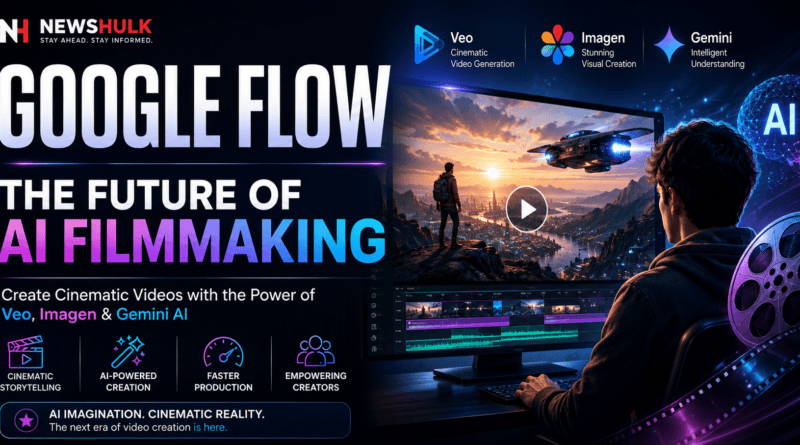
One of the biggest strengths of Flow is that it combines several advanced Google AI technologies into one experience.
Veo
Veo is Google’s next-generation AI video model.
It generates realistic motion, cinematic camera movements, and highly detailed scenes from text prompts.
Compared with earlier AI video models, Veo aims to produce:
- More natural movement
- Better lighting
- Improved physics
- Higher-resolution video
- Better prompt understanding
Imagen
Flow also integrates Google’s Imagen image generation model.
Imagen helps create:
- Concept artwork
- Characters
- Background environments
- Visual references
- Scene assets
These images can then become part of a larger video project.
Gemini
Gemini powers many of the platform’s reasoning and prompt interpretation capabilities.
Instead of requiring complex technical prompts, creators can describe ideas naturally, while Gemini helps translate those instructions into video generation workflows.
Why Everyone Is Talking About Google Flow
Flow isn’t simply another AI video generator.
Google is positioning it as a creative workspace where creators can build complete visual stories rather than isolated clips.
That makes it especially interesting for:
- Independent filmmakers
- YouTube creators
- Advertising agencies
- Marketing teams
- Creative studios
- Social media creators
How Google Flow Works
The process is surprisingly straightforward.
Step 1
Describe your scene.
Example:
“A futuristic Tokyo street during heavy rain at night, cinematic lighting, ultra realistic, slow camera movement.”
Step 2
Choose a visual style.
Examples include:
- Cinematic
- Documentary
- Animation
- Realistic
- Sci-Fi
- Fantasy
Step 3
Generate the scene.
Google’s AI creates the first version of your video.
Step 4
Refine the result.
Creators can adjust prompts, camera angles, movement, lighting, and visual style until they achieve the desired outcome.
Why This Is Different From Traditional Video Editing
Traditional filmmaking requires:
- Cameras
- Actors
- Locations
- Lighting
- Editing software
- Production teams
Google Flow removes many of these technical barriers by allowing creators to start with ideas instead of equipment.
For many businesses, this could dramatically reduce production costs while making high-quality video creation more accessible.
⭐ NewsHulk First Impression
Google Flow isn’t trying to replace professional filmmakers.
Instead, it aims to make high-quality visual storytelling available to a much wider audience.
For creators, marketers, educators, and businesses, that’s a significant shift.
If Google continues improving the platform, Flow could become one of the most influential AI creative tools of the decade.
The Features That Make Google Flow Different
AI video generators have evolved rapidly over the last two years, but Google Flow isn’t trying to compete on text-to-video generation alone.
Instead, Google wants to give creators an AI-powered filmmaking studio where every scene feels like part of a complete production.
Let’s explore the features that make Flow stand out.
🎬 1. Cinematic Camera Controls
One of the biggest limitations of earlier AI video tools was unrealistic camera movement.
Google Flow changes that.
Creators can describe how they want the camera to behave instead of relying on static shots.
Examples include:
- Slow cinematic zoom
- Drone flyover
- Tracking shot
- Orbit camera
- Dolly movement
- Close-up portrait
- Wide landscape shot
Example Prompt:
A slow cinematic drone shot flying over Manhattan at sunrise with realistic reflections and golden morning light.
The result feels much closer to professional filmmaking than earlier AI video generators.
🎭 2. Better Character Consistency
One of the biggest frustrations with AI-generated videos is that characters often change appearance between scenes.
Hair changes.
Clothes change.
Faces look different.
Google Flow is designed to maintain greater consistency across multiple scenes, helping creators build stories rather than isolated clips.
For filmmakers and advertisers, this is one of the platform’s biggest advantages.
🌍 3. World Building
Flow doesn’t simply generate individual videos.
It helps creators build complete visual worlds.
For example:
Imagine creating a sci-fi movie.
Instead of generating random clips, you can create:
- The city
- The main character
- Supporting characters
- Vehicles
- Buildings
- Weather
- Lighting style
The AI attempts to maintain visual continuity throughout the project.
That makes storytelling much more believable.
🧠 4. Natural Prompt Understanding
Most AI video tools still require carefully structured prompts.
Google uses Gemini to better understand natural language.
Instead of writing complicated technical instructions, creators can describe ideas almost like talking to another person.
Example:
“A young explorer walks through an abandoned futuristic city while soft rain falls and neon lights reflect on the wet streets.”
Gemini interprets:
- Mood
- Lighting
- Camera style
- Environment
- Character action
without requiring extensive prompt engineering.
🎨 5. Imagen Integration
Creating videos often begins with concept art.
Google Flow integrates Imagen to generate:
- Characters
- Storyboards
- Landscapes
- Backgrounds
- Props
- Visual references
Creators can then use these assets as the foundation for AI-generated video scenes.
This makes the workflow feel much closer to how professional studios develop projects.
⚡ 6. Faster Creative Iteration
Traditional filmmaking requires:
- Storyboards
- Cameras
- Locations
- Lighting
- Actors
- Editing
Changing one scene may require reshooting everything.
With Flow, creators simply modify the prompt and generate a new version.
That dramatically speeds up experimentation.
For marketing teams producing multiple ad variations, this could save significant time.
🎯 Real Business Use Cases
Google Flow isn’t only for filmmakers.
Businesses can use it to create:
Marketing Videos
Product launches
Advertisements
Brand storytelling
Social Media Content
Instagram Reels
YouTube Shorts
TikTok videos
Facebook campaigns
Education
Training videos
Course content
Presentations
Tutorials
Ecommerce
Product showcases
Lifestyle videos
Animated explainers
Corporate Communication
Internal training
HR videos
Investor presentations
Google Flow vs OpenAI Sora
| Feature | Google Flow | OpenAI Sora |
|---|---|---|
| AI Video Generation | ⭐⭐⭐⭐⭐ | ⭐⭐⭐⭐⭐ |
| Cinematic Control | ⭐⭐⭐⭐⭐ | ⭐⭐⭐⭐☆ |
| Google Ecosystem | ✅ | ❌ |
| Storytelling Workflow | ⭐⭐⭐⭐⭐ | ⭐⭐⭐⭐☆ |
| Prompt Simplicity | ⭐⭐⭐⭐⭐ | ⭐⭐⭐⭐☆ |
| Creative Flexibility | ⭐⭐⭐⭐⭐ | ⭐⭐⭐⭐⭐ |
Our Take
Google Flow focuses on the creative workflow, while Sora is primarily known for generating high-quality video clips from prompts.
If you’re planning longer storytelling projects, Flow’s integrated approach may offer an advantage.
Google Flow vs Runway
Runway remains one of the most popular AI video tools for creators.
Runway Strengths
✔ Advanced editing
✔ Video inpainting
✔ Motion Brush
✔ Professional editing tools
Flow Strengths
✔ Better integration with Google’s AI ecosystem
✔ Easier prompt interpretation
✔ Strong cinematic storytelling features
✔ Scene consistency
Google Flow vs Kling AI
Kling AI is known for producing highly realistic motion and impressive physics.
Google Flow, however, aims to provide a broader creative environment rather than focusing only on video generation.
If Kling is a powerful AI video engine, Flow feels more like a complete AI filmmaking platform.
👍 What We Loved
After reviewing Google’s demonstrations and creator workflows, these features stand out:
✅ Cinematic camera movement
✅ Natural prompt understanding
✅ Integrated creative workflow
✅ Better storytelling potential
✅ Strong ecosystem with Veo, Imagen, and Gemini
👎 Where Google Flow Can Improve
Like any emerging AI platform, Flow isn’t perfect.
Areas where it can continue to improve include:
❌ Wider public availability
❌ Faster rendering for complex scenes
❌ More advanced manual editing controls
❌ Greater customization for professional filmmakers
💡 NewsHulk Tip
Don’t think of Google Flow as a replacement for Adobe Premiere Pro or DaVinci Resolve.
Think of it as an AI creative partner that helps generate ideas, storyboards, and cinematic sequences much faster than traditional production methods.
Creators who combine Flow with professional editing software may achieve the best results.
Google Flow Pricing & Availability
Google Flow is gradually rolling out as part of Google’s AI ecosystem, and access may vary depending on your region and subscription tier.
Depending on future updates, Google may offer:
- Free limited access
- Premium AI subscription plans
- Enterprise integrations
- Creator-focused features
Since Google continues to expand Flow, pricing and availability may evolve over time.
NewsHulk Tip: If you’re already using Google’s AI ecosystem, keep an eye on updates to Gemini and Google AI subscriptions, as Flow capabilities may be included in broader AI offerings.
🎯 Who Should Use Google Flow?
Google Flow isn’t designed for everyone.
Here’s who will benefit the most.
🎥 YouTubers
Create B-roll, intros, cinematic sequences and storytelling visuals without expensive production equipment.
📱 Content Creators
Generate social media videos faster while experimenting with creative concepts.
💼 Marketing Agencies
Produce campaign concepts, advertisements and promotional videos in significantly less time.
🏢 Small Businesses
Create product videos, brand stories and customer education content without hiring a production studio.
🎓 Educators
Turn lessons into engaging visual presentations and learning experiences.
✍️ 5 Prompt Examples to Try in Google Flow
Example 1
A cinematic drone shot over New York City during sunrise with golden reflections on skyscrapers, ultra-realistic, 8K, smooth camera movement.
Example 2
A futuristic cyberpunk street in Tokyo at night with rain, neon lights, pedestrians, cinematic lighting and slow tracking shot.
Example 3
A luxury electric car driving along a coastal highway during sunset with cinematic aerial shots and realistic reflections.
Example 4
A documentary-style wildlife scene showing elephants crossing an African river during golden hour.
Example 5
A modern office where an AI assistant helps employees collaborate using holographic interfaces and futuristic displays.
💡 7 Tips for Better Results
1. Be descriptive
The more detail you provide, the better the AI understands your vision.
2. Mention camera movement
Examples:
- Slow zoom
- Drone shot
- Tracking shot
- Close-up
- Wide angle
3. Describe lighting
Examples:
- Golden hour
- Blue hour
- Neon lights
- Cinematic lighting
- Soft natural light
4. Mention mood
Examples:
- Emotional
- Dramatic
- Inspirational
- Documentary
- Futuristic
5. Keep prompts focused
Avoid trying to describe too many actions in one prompt.
6. Experiment
The first generation isn’t always the best.
Professional creators often refine prompts multiple times.
7. Combine with Editing Software
Flow can generate impressive footage, but combining it with tools like Adobe Premiere Pro or DaVinci Resolve can give creators greater control over the final result.
ChatGPT vs Gemini AI: Which AI Assistant Is Better in 2026? Complete Comparison & Review
⭐ NewsHulk’s Final Verdict
Google Flow represents one of Google’s boldest moves into AI-powered creative production.
Instead of focusing solely on text-to-video generation, it aims to become an end-to-end creative environment for storytelling.
While the platform is still evolving, its integration with Veo, Imagen and Gemini makes it one of the most promising AI filmmaking tools available today.
For creators, marketers, educators and businesses, Google Flow could significantly reduce the time required to turn ideas into professional-looking video content.
It won’t replace filmmakers or video editors overnight—but it has the potential to become an essential creative assistant in modern production workflows.
🏆 Overall Rating
| Category | Score |
|---|---|
| Ease of Use | 9.5/10 |
| Video Quality | 9.8/10 |
| AI Innovation | 10/10 |
| Prompt Understanding | 9.7/10 |
| Creative Flexibility | 9.8/10 |
| Business Value | 9.5/10 |
⭐⭐⭐⭐⭐ Editor’s Choice 2026
❓ Frequently Asked Questions
What is Google Flow?
Google Flow is an AI-powered filmmaking platform that helps creators generate cinematic videos using natural language prompts and Google’s AI models.
Is Google Flow free?
Availability and pricing depend on Google’s rollout. Some features may require access through Google’s AI subscription offerings.
What AI models power Google Flow?
Google Flow combines Veo for video generation, Imagen for image creation and Gemini for prompt understanding and workflow assistance.
Is Google Flow better than OpenAI Sora?
Both platforms are highly capable. Google Flow emphasizes an integrated filmmaking workflow, while OpenAI Sora is focused on generating realistic video clips from prompts.
Can beginners use Google Flow?
Yes. One of Flow’s strengths is its ability to understand natural language prompts, making it approachable even for users without video editing experience.