
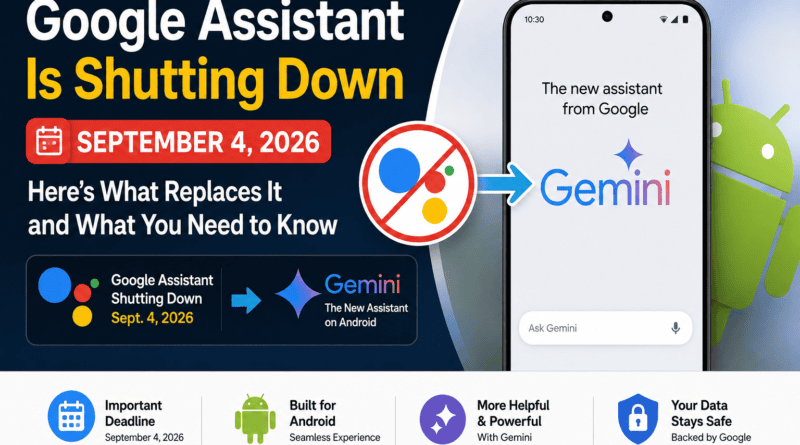
Google Assistant Is Shutting Down on September 4, 2026: What Android Users Need to Know
Google Assistant shutting down September 4 2026 : Google Assistant is finally on its way out of Android. Starting September 4, 2026, Google will begin removing Google Assistant from most Android phones and tablets, with Gemini becoming the Google-provided assistant instead. The rollout may take several weeks, and Google says users will not be able to switch back once the change reaches their device.
The change is bigger than a simple app update. Google Assistant has been part of Android for more than a decade, handling quick voice commands, reminders, navigation, smart-home controls and everyday tasks. Gemini is designed to do much more conversational and generative work, but the transition also means some familiar Assistant features and habits are changing.
When is Google Assistant shutting down?
Google will begin removing Google Assistant from mobile devices on September 4, 2026. Google’s Gemini Apps team says most users will no longer be able to use or switch back to Google Assistant on their phone or tablet after the migration reaches them.
The rollout is not necessarily instantaneous. Google says the process may take a few weeks to reach everyone. That means two Android users could see the change at different times even after September 4.
The same migration affects compatible peripherals connected to the mobile experience, including Wear OS watches, compatible headphones and earbuds, and vehicles using Android Auto. Cars using Google built-in are not part of this specific September 4 mobile shutdown.
Google Assistant shutting down September 4 2026: Why is Google replacing Assistant with Gemini?
Google is moving its consumer assistant strategy toward generative AI. Traditional Assistant was optimized for predictable commands such as setting timers, checking weather, playing media or controlling compatible smart-home devices. Gemini is built to understand longer requests, maintain conversational context and use AI capabilities to help with more complex tasks.
Google has already been moving Gemini deeper into Android, so replacing Assistant is the next major step in that strategy. For users, the biggest practical difference is that the assistant experience will increasingly behave like an AI agent rather than a conventional command-and-response voice assistant.
What happens to “Hey Google”?
For eligible Android devices, Gemini becomes the Google-provided assistant experience. The familiar “Hey Google” interaction is therefore moving into the Gemini era rather than disappearing as a voice-trigger concept.
That means users who have built a habit around saying “Hey Google” will still have a Google voice-assistant workflow, but the system behind it will be Gemini.
Can you switch back to Google Assistant?
Not after the migration reaches your device. Google’s announcement says that once Assistant availability is removed, users will no longer be able to use or switch back to Google Assistant on the affected phone, tablet or paired devices.
If you still prefer the older Assistant experience, the important point is that this is a permanent platform transition rather than an ordinary app update with a simple rollback option.
Which devices are affected?
- Most eligible Android phones
- Android tablets
- Compatible Wear OS watches paired to affected mobile devices
- Compatible headphones and earbuds
- Vehicles using Android Auto from an affected phone
Google’s current September 4 announcement does not put every Google-powered device into the same shutdown window. Google TV products, smart speakers and smart displays have separate Gemini transition plans, while cars with Google built-in are outside this specific September 4 mobile phase.
What will change for Android users?
The biggest change is not simply the name of the assistant. Gemini and Assistant are designed around different interaction models.
| Feature | Google Assistant | Gemini |
|---|---|---|
| Voice commands | Core experience | Core experience with generative AI |
| Conversational questions | More limited | Much stronger conversational capability |
| Complex requests | Limited by predefined actions | Designed for multi-step and contextual requests |
| Android assistant role | Being retired on affected mobile devices | Becomes the Google-provided assistant |
| Switch back after migration | Not applicable | No, according to Google’s transition notice |
What should you do before September 4?
If you depend heavily on Google Assistant, do not wait until the final day to test Gemini.
- Test your most-used voice commands. Check alarms, timers, calls, navigation, messages, media and other commands you use regularly.
- Review smart-home routines. If your daily routine depends on voice-controlled lights, plugs, thermostats or other devices, test the commands you care about.
- Check your paired devices. If you use a Wear OS watch, compatible earbuds or Android Auto, test the assistant experience there too.
- Update Gemini and Google apps. Keeping the relevant apps current can reduce avoidable compatibility problems during the transition.
- Identify missing features early. If a task you rely on does not behave the same way in Gemini, find an alternative before the migration reaches your device.
Is Gemini better than Google Assistant?
It depends on what you ask it to do.
For research, explanations, longer conversations, summarization and requests that require understanding context, Gemini is designed to be significantly more capable than the traditional Assistant.
For a simple command such as turning something on, setting a timer or performing a familiar routine, many users may value Assistant’s predictability more than generative intelligence. That is why the transition could feel like an upgrade for some users and a downgrade for others.
The bigger picture: Google is turning Android into an AI-first platform
The Assistant shutdown is part of a much larger change in how Google wants people to interact with its products. Search, Android, productivity tools, smart-home products and other services are increasingly being connected to Gemini.
For Google, the advantage is obvious: one AI system can potentially understand a user’s request and then work across multiple Google services. For users, the trade-off is learning a new interaction model and accepting that some old, highly predictable Assistant workflows may work differently.
Bottom line
Google Assistant is entering its final phase on Android. Google will begin removing it from most eligible mobile devices on September 4, 2026, and Gemini will take over as the Google-provided assistant. The transition can take several weeks, and once it reaches an affected device, Google says users cannot switch back.
If Google Assistant is part of your daily routine, the smartest move is simple: start testing Gemini now, especially for voice commands, smart-home routines, Wear OS, headphones and Android Auto.
Frequently asked questions
Is Google Assistant completely dead on September 4?
No. September 4 is the beginning of the mobile-device shutdown, and the rollout may take several weeks. Some other Google-powered products have separate transition timelines.
Will Google Assistant still work on Android phones?
Google says most users will lose access as the migration reaches their phone or tablet. Once removed, users cannot switch back to Assistant on that device.
Will Android Auto switch to Gemini?
Compatible Android Auto experiences connected to affected mobile devices are included in the transition to Gemini.
Will Google Home speakers lose Assistant on September 4?
Not as part of this specific mobile-device rollout. Google has a separate Gemini transition for its home ecosystem.
Should I switch to Gemini now?
If you rely on voice assistance, it is worth testing Gemini before the forced migration reaches your device. That gives you time to identify commands or routines that behave differently.
Sources: Google Gemini Apps Community announcement; Google product information and current reporting from Android-focused technology publications.