
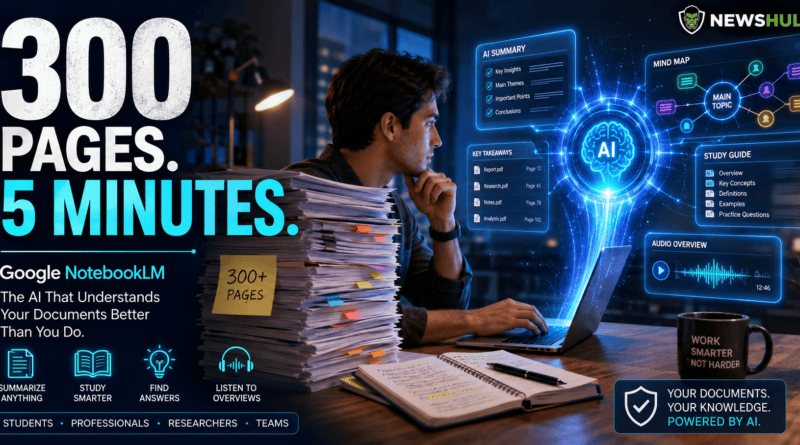
I Uploaded a 300-Page PDF… Google’s AI Understood It Better Than I Did
📖 What If Reading Hundreds of Pages Took Just Five Minutes?
We’ve all been there.
A 300-page report lands in your inbox.
A professor uploads six PDFs before tomorrow’s class.
A client sends contracts, meeting notes, and research documents…
…and somehow expects you to understand everything before the next meeting.
You open the first document.
Scroll.
Read.
Highlight.
Take notes.
Then open the second.
By the time you’re halfway through, you’ve already forgotten what you read in the first one.
Sound familiar?
For years, this has been the reality for students, researchers, lawyers, consultants, journalists, and business professionals around the world.
Reading wasn’t the difficult part.
Remembering everything was.
Then Google introduced something that completely changed the way I think about information.
It’s called Google NotebookLM.
And after spending time testing it, I realized something surprising.
This isn’t just another AI chatbot.
It’s an AI research partner.
☕ The Experiment
I decided to try something most people wouldn’t.
Instead of uploading one PDF…
I uploaded an entire collection of documents.
Research papers.
Meeting notes.
Technical reports.
Industry articles.
More than 300 pages of information.
Honestly…
I expected Google NotebookLM to struggle.
Maybe summarize a few paragraphs.
Miss important details.
Confuse one document with another.
Instead…
It started answering questions as if it had actually read every single page.
That was the moment I realized this wasn’t just another productivity tool.
🤖 So… What Exactly Is Google NotebookLM?
Imagine having an assistant that doesn’t search the entire internet.
Instead…
It studies your own documents.
You upload:
📄 PDFs
📝 Google Docs
📊 Research reports
📚 Study materials
📋 Notes
Meeting transcripts
Presentations
Then instead of searching manually…
You simply ask questions.
For example:
“Summarize the main findings from all these reports.”
Or…
“Which chapter discusses climate change?”
Or even…
“Create a study guide from these documents.”
Instead of spending hours searching…
NotebookLM gives answers based on your own files.
That’s a very different approach from traditional AI assistants.
Gemini Notebook | AI Research Tool & Thinking Partner
AI Shopping Assistant (2026): How AI Can Help You Save Money Before You Buy
🎓 Why This Matters More Than Most People Realize
Information overload has become normal.
Every day we receive:
Emails.
Reports.
Presentations.
Research papers.
Meeting notes.
Training documents.
Company policies.
The problem isn’t finding information anymore.
The problem is understanding it quickly.
That’s where NotebookLM becomes interesting.
Instead of replacing your thinking…
It helps organize it.
And that’s a much more practical use of artificial intelligence.
💼 Who Can Benefit From NotebookLM?
Almost everyone who works with information.
🎓 Students
Imagine preparing for an exam.
Instead of reading ten different PDFs again…
Ask:
“Create revision notes from all my study material.”
👨💼 Professionals
Have a 150-page company report?
Instead of spending hours searching…
Ask:
“What are the three biggest business risks mentioned?”
📰 Journalists
Upload interviews.
Research papers.
Background documents.
NotebookLM helps connect ideas much faster.
⚖️ Lawyers
Contracts.
Legal research.
Case documents.
Instead of manually searching hundreds of pages…
Ask direct questions about specific clauses or topics.
📈 Business Teams
Meeting notes.
Sales reports.
Project documents.
NotebookLM can summarize discussions and help locate information without endless scrolling.
💡 This Is Where Google Got It Right
Most AI tools try to know everything.
NotebookLM does something smarter.
It focuses on your knowledge.
Your documents.
Your research.
Your notes.
That simple difference changes how useful AI becomes.
Because sometimes…
The information you need isn’t on the internet.
It’s already sitting inside your own files.
Google Flow AI Review (2026): Can One Prompt Create a Hollywood-Style Movie?
🤔 Imagine This…
You’re preparing for a presentation tomorrow morning.
Your manager sends you:
- Three reports
- Two spreadsheets
- Four meeting transcripts
- One strategy document
Normally…
You’d spend the evening reading.
Now imagine asking:
“Summarize everything I need to know before tomorrow’s meeting.”
That’s exactly the kind of real-world problem NotebookLM is designed to solve.
🚀 I Decided to Push NotebookLM Even Further…
Summarizing one PDF is useful.
But that’s not what impressed me.
I wanted to know what would happen if I treated NotebookLM like a real research assistant.
So I uploaded multiple documents about the same topic.
Industry reports.
Research papers.
Meeting notes.
Presentation slides.
Then I asked one simple question.
“What do all these documents agree on?”
Instead of giving me random summaries…
Google NotebookLM connected ideas across different files.
It highlighted recurring themes.
It identified conflicting viewpoints.
And it pointed me to the exact sections where the information came from.
That last part is important.
Unlike many AI chatbots that sometimes sound confident without showing their sources, NotebookLM points back to the documents you’ve uploaded, making it easier to verify answers.
That’s a huge advantage when accuracy matters.
AI Agents Are Crossing a Dangerous Line? OpenAI, Anthropic & Meta Explained (2026)
📚 What Makes Google NotebookLM Different?
Most AI chatbots work like this.
You ask a question.
The AI answers using its general knowledge.
Google NotebookLM works differently.
It answers using your documents.
Think of it like hiring someone who has already read every file on your desk.
Instead of saying,
“Here’s what the internet says…”
Google NotebookLM says,
“Here’s what YOUR documents say.”
That’s a major difference for students, professionals, and researchers.
Best AI Meeting Assistants in 2026: Top 10 Tools Compared
⭐ Features That Impressed Me
📄 Instant Summaries
Upload a long report.
Google NotebookLM can generate a clear summary that highlights the main points, making it easier to understand large documents before reading them in detail.
🧠 Smart Questions
Instead of searching page by page…
Ask:
“What were the biggest recommendations?”
Or
“Which document talks about renewable energy?”
The answers are based on the sources you’ve uploaded.
📝 Study Guides
Students will probably love this feature.
Instead of rewriting notes manually…
Google NotebookLM can help organize key concepts into a structured study guide.
❓ Practice Questions
Preparing for an exam?
NotebookLM can generate quiz-style questions based on your study material, helping you test what you’ve learned.
🎙️ Audio Overview
One of the most talked-about features is Audio Overview.
Instead of reading your documents…
Google NotebookLM can generate a podcast-style discussion that explains the content in a conversational way.
Imagine turning a long research report into something you can listen to while commuting.
That’s a completely different learning experience.
💼 Real-World Examples
🎓 Student
Uploads:
- Lecture notes
- Textbook chapters
- Research articles
Asks:
“Create revision notes and 20 practice questions.”
Hours of preparation become much more manageable.
📈 Business Manager
Uploads:
- Sales reports
- Meeting notes
- Quarterly results
Asks:
“What were the biggest challenges mentioned across all reports?”
Instead of reading hundreds of pages…
You get a structured overview.
📰 Journalist
Uploads:
- Interview transcripts
- Government reports
- Background research
Asks:
“Find common themes and contradictory statements.”
NotebookLM helps surface patterns much faster.
👨💻 Developer
Uploads:
- API documentation
- Technical guides
- Project notes
Asks:
“Explain how authentication works using only these documents.”
Instead of jumping between tabs…
The answer is based on the uploaded documentation.
⚖️ NotebookLM vs ChatGPT
People often ask:
“Should I use ChatGPT or NotebookLM?”
The truth is…
They solve different problems.
Use ChatGPT when you want:
✅ Brainstorm ideas
✅ Write content
✅ Learn new concepts
✅ Solve problems
Use NotebookLM when you want:
✅ Understand your own documents
✅ Summarize large files
✅ Research faster
✅ Study smarter
✅ Find information inside uploaded sources
They aren’t really competitors.
They’re complementary tools.
Many people will benefit from using both together.
⚠️ Reality Check
NotebookLM is impressive.
But it isn’t magic.
It still depends on the quality of the documents you upload.
If your notes are incomplete…
The answers may also be incomplete.
And while it can help summarize and organize information, it’s still important to review critical details yourself—especially for academic, legal, financial, or medical work.
AI should support your thinking.
Not replace it.
💡 Imagine This…
You’re writing your university thesis.
Your research folder contains:
📄 40 academic papers.
Instead of opening each one individually…
You ask:
“Which studies support renewable energy adoption in developing countries?”
NotebookLM highlights the relevant documents and points you toward the supporting passages.
That’s not just saving time.
That’s changing the way research gets done.
⭐ What I Loved About Google NotebookLM
After using NotebookLM for several days, I realized something.
Google wasn’t trying to build another chatbot.
It was trying to solve one of the biggest problems of modern work.
Information overload.
Here are the features that stood out the most.
✅ 1. It Saves Hours of Reading
Whether you’re reading research papers, company reports, or meeting notes…
NotebookLM helps you understand the key ideas much faster.
It doesn’t replace reading completely.
It simply helps you find what’s important first.
✅ 2. It Understands Context
Many AI tools summarize one document.
NotebookLM understands relationships between multiple documents.
That’s incredibly useful for research.
✅ 3. Source-Based Answers
One feature I really appreciated…
NotebookLM doesn’t simply answer questions.
It shows where the answer came from inside your uploaded sources.
That makes it much easier to verify information.
✅ 4. Audio Overview Is Brilliant
Reading isn’t always possible.
Listening is.
Turning documents into podcast-style discussions feels surprisingly natural.
Imagine listening to tomorrow’s meeting notes while driving home.
That’s genuinely useful.
✅ 5. It Makes Learning Less Stressful
Students spend more time organizing notes than actually studying.
NotebookLM reduces that workload.
More learning.
Less searching.
⚠️ What Could Be Better?
No AI tool is perfect.
NotebookLM still has room to improve.
❌ It Depends on Your Documents
If your uploaded material is incomplete…
The answers will also be incomplete.
❌ Not a Replacement for Critical Thinking
NotebookLM helps organize information.
It shouldn’t replace careful review, especially for important decisions.
❌ Availability May Vary
Some features and access options may differ depending on your Google account or region.
📊 NotebookLM vs ChatGPT vs Perplexity
| Feature | NotebookLM | ChatGPT | Perplexity |
|---|---|---|---|
| Research Your Own Files | ⭐⭐⭐⭐⭐ | ⭐⭐⭐ | ⭐⭐ |
| Brainstorm Ideas | ⭐⭐⭐ | ⭐⭐⭐⭐⭐ | ⭐⭐⭐ |
| Internet Research | ⭐⭐ | ⭐⭐⭐⭐ | ⭐⭐⭐⭐⭐ |
| Study Notes | ⭐⭐⭐⭐⭐ | ⭐⭐⭐⭐ | ⭐⭐⭐ |
| Source References | ⭐⭐⭐⭐⭐ | ⭐⭐⭐ | ⭐⭐⭐⭐⭐ |
| Everyday Chat | ⭐⭐⭐ | ⭐⭐⭐⭐⭐ | ⭐⭐⭐⭐ |
NewsHulk Take
- NotebookLM is the best choice when working with your own documents.
- ChatGPT shines for brainstorming, writing, and creative tasks.
- Perplexity is excellent for web-based research with cited sources.
Each tool has a different strength, and many users will benefit from combining them.
💰 Is Google NotebookLM Free?
Google offers NotebookLM with a free tier, while additional capabilities may be available through paid Google AI plans or Workspace offerings.
Before subscribing, check Google’s latest pricing and feature availability.
🎯 Who Should Use NotebookLM?
🎓 Students
Summarize textbooks.
Create revision notes.
Generate practice questions.
👨💼 Professionals
Understand reports.
Prepare for meetings.
Analyze documents.
📰 Journalists
Organize research.
Compare multiple sources.
Find recurring themes.
📚 Researchers
Review papers.
Identify patterns.
Speed up literature reviews.
💼 Business Owners
Analyze proposals.
Understand market research.
Review strategy documents more efficiently.
🏆 NewsHulk Verdict
Should you try Google NotebookLM?
Absolutely—if you regularly work with PDFs, reports, research papers, or large collections of notes.
NotebookLM isn’t trying to replace ChatGPT.
It’s trying to become the smartest assistant for your own knowledge.
And in many situations…
That’s exactly what’s needed.
❓ Frequently Asked Questions
What is Google NotebookLM?
Google NotebookLM is an AI-powered research and note-taking tool that helps users understand, summarize, and interact with their own uploaded documents.
Is NotebookLM better than ChatGPT?
They serve different purposes.
NotebookLM specializes in document-based research, while ChatGPT is stronger for general conversations, writing, brainstorming, and creative tasks.
Can NotebookLM read PDFs?
Yes.
NotebookLM supports PDFs and other supported document formats, allowing users to ask questions based on uploaded content.
Is NotebookLM good for students?
Yes.
Students can use it to organize study material, create summaries, generate revision notes, and prepare for exams more efficiently.
Is NotebookLM free?
Google provides a free version, with additional features depending on the Google AI plan or Workspace subscription you use.
🔗 Related Articles on NewsHulk
👉 Google Flow AI Review (2026)
👉 AI Shopping Assistant Guide
👉 100 Best ChatGPT Prompts
👉 ChatGPT vs Gemini AI
❤️ Final Thoughts
The internet gave us access to information.
Search engines helped us find it.
AI is helping us understand it.
That might be the biggest shift of all.
Google NotebookLM isn’t about replacing books.
It isn’t about replacing research.
It’s about helping people spend less time searching…
…and more time thinking.
In a world where information grows faster every day…
That may be one of the most valuable skills technology can offer.
⭐ NewsHulk Editorial Note
The best AI tools don’t replace human intelligence.
They remove unnecessary friction.
Google NotebookLM does exactly that.
It won’t do your thinking for you.
But it can help you organize, understand, and learn faster.
And for students, professionals, researchers, and lifelong learners…
That makes it one of the most practical AI tools available today.